
Article 1: The Close Checklist
Closing your books means your records are accurate as of your month end date. Work through this checklist in order — do not skip ahead.
Before you start: Be up to date with Updating Your Activity first. If you have a large backlog of Unbooked transactions/ bank transactions or Unreconciled entries, work through those before attempting a close.
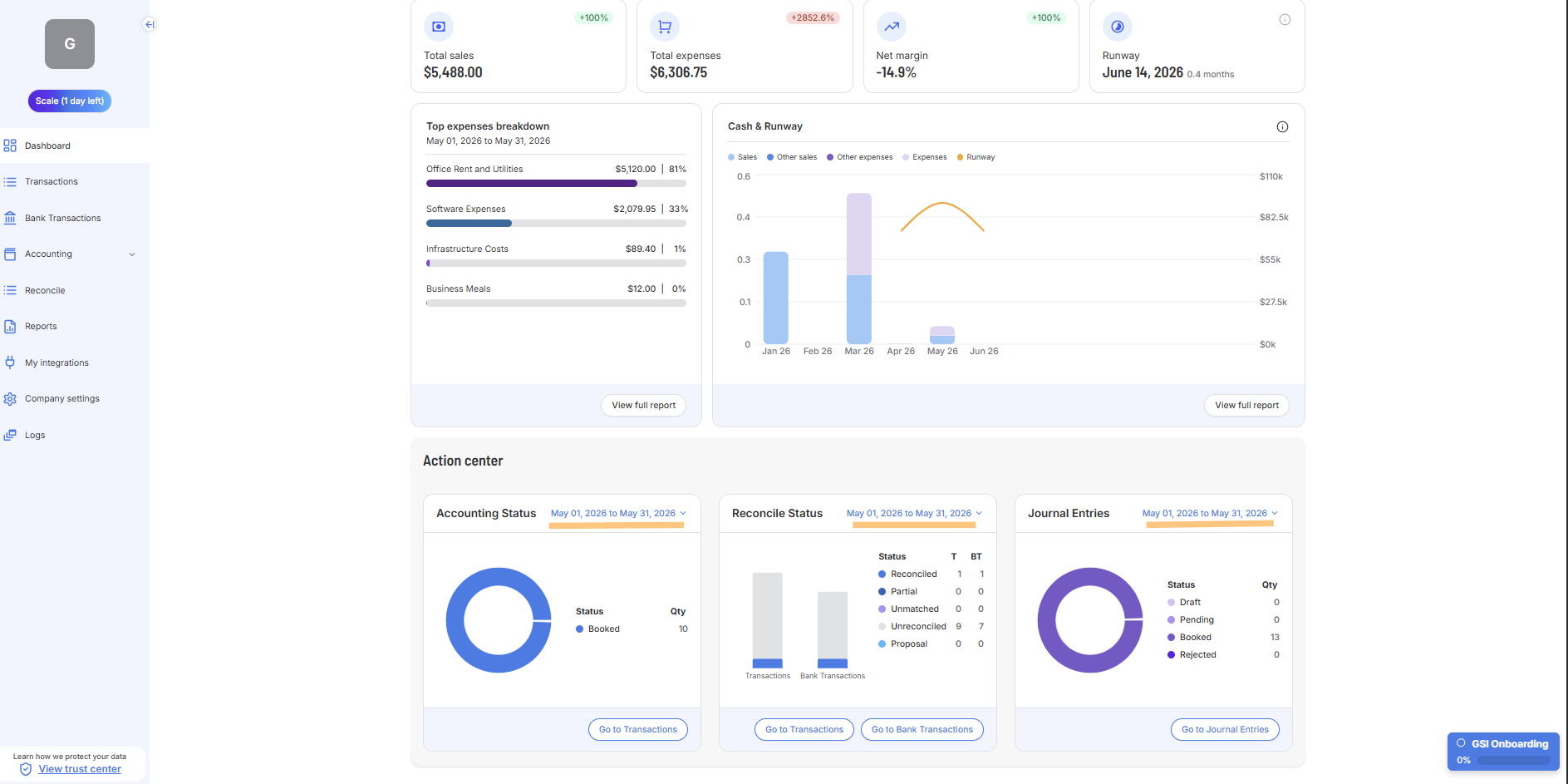
Go to: Dashboard — https://app.gsi-tech.ai/dashboard/home
# | Task | How to do it |
|---|---|---|
1 | Set date range to month you are closing | Dashboard → click the date range (top right) → select the month you are closing. |
2 | Record deferred revenue | If applicable, for any payment received upfront covering future months (e.g. an annual contract), recognize it across the months it covers — not all at once. |
3 | Amortize prepaid expenses | If applicable, for any lump-sum payment covering future months (annual software, insurance, rent), spread it across the period it covers so this month carries only its share. |
4 | Record accruals for unbilled costs | Did you receive any goods or services this month you have not been billed for yet (contractors, legal, cloud usage)? Record an estimate of the cost as an expense, so the cost lands in the month it was incurred. |
5 | Record depreciation | For any equipment or fixed assets, record this month's depreciation so the cost is spread over the asset's life rather than hitting one month. |
6 | Clear the Action Center | Dashboard → Action Center → all three panels [Accounting Status, Reconcile Status, Journal Entries] should show only Booked / Reconciled items.
|
7 | Cash Check | Does your Cash account per your accounting records match your Cash per your bank statements? If not, you are likely missing some transactions. Investigate before proceeding. |
8 | Review the P&L | Reports → compare each P&L line to last month. Investigate any line that moved sharply (up or down) or any expected recurring item that is missing. This catches errors that reconcile correctly but are still wrong. |
9 | Review the Balance Sheet | Reports → review the Balance Sheet. Accounts Receivable should match unpaid invoices, Accounts Payable should match unpaid bills, and no account should show an unexpected negative balance. |
10 | Review your Cash Flow | Reports → review the Cash Flow. Does the cash flow from operations, investing and financing make sense to you? |
11 | Check Dashboard numbers | Does Net Margin match your expectation? Is Runway reasonable? Investigate any discrepancy before closing. |
12 | Save your records | Screenshot the Dashboard and P&L showing last month's numbers. Keep them for your records. |