
Article 3 of 5: Work through Transactions
Go to: Transactions — https://app.gsi-tech.ai/dashboard/transactions
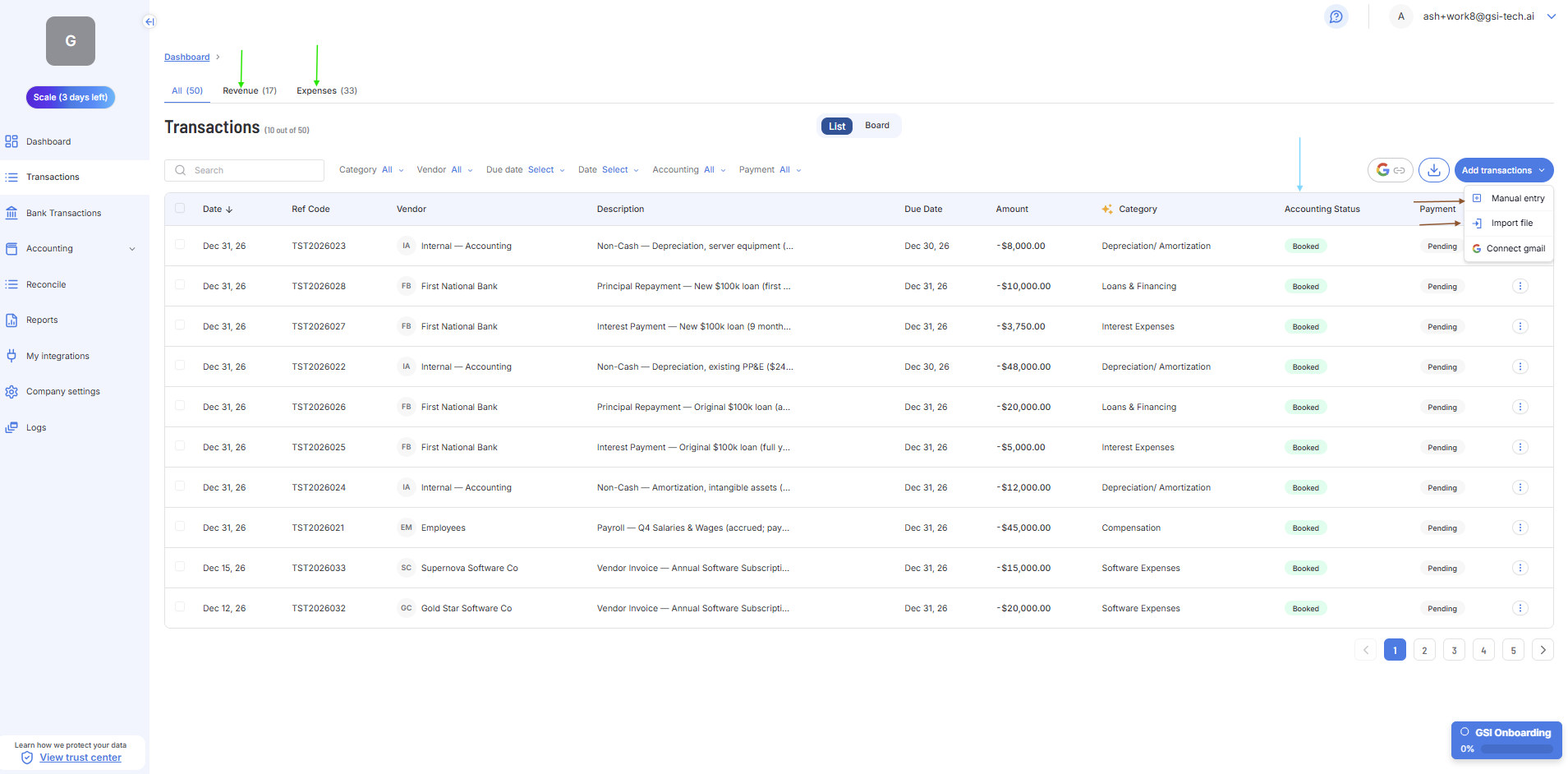
Step | What to do |
|---|---|
1. Check the Revenue tab | Click 'Revenue'. Confirm all client transactions are listed and categorized correctly. Add missing ones with 'Add transactions' or reviewing Gmail folders. |
2. Check the Expenses tab | Click 'Expenses'. Correct any wrong categories — click the transaction to change it. GSI learns from each correction. |
3. Ensure all transactions are in Booked Status | Filter by Accounting Status excluding "Booked" - bulk select and create the Journal Entry. Those transactions will not appear in Reports until in Booked status. |
4. Approve Pending Journal Entries | Filter by Accounting Status: Pending. Click each one and approve it. Booked is the target status for all transactions. |
Next → Check Bank Transactions