
Article 2 of 5: Find the Action Center (your to-do list)
Go to: Dashboard — scroll down to Action Center — https://app.gsi-tech.ai/dashboard/home
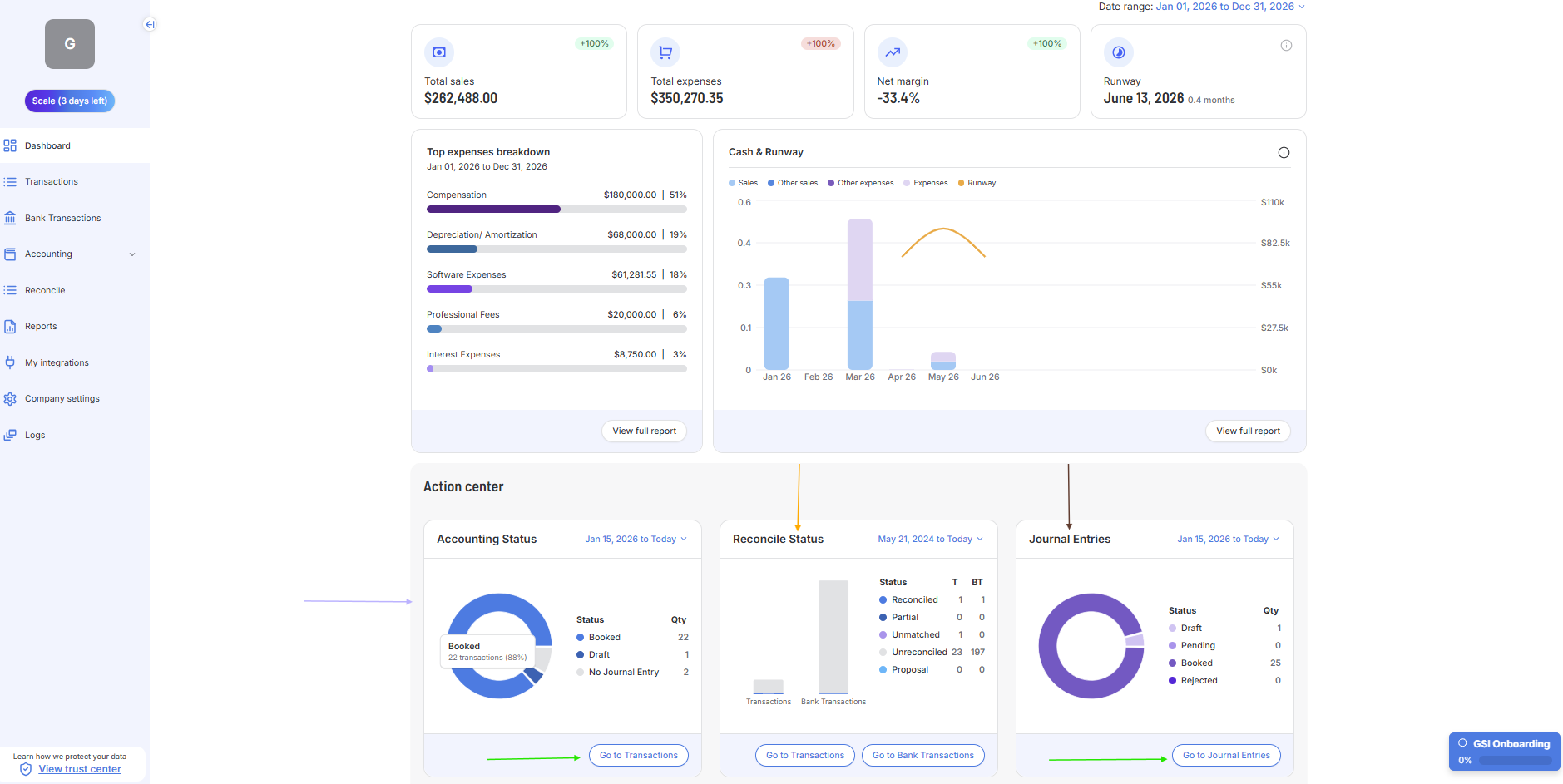
Panel | What it means | What to do |
|---|---|---|
Accounting Status — No Journal Entry | These transactions have no Journal Entry. They are invisible to Reports until fixed. (Purple arrow in Screenshot) | Fix these first — click 'Go to Transactions' or "Go to Bank Transactions'. (Green arrow in Screenshot) |
Accounting Status — Pending | GSI has created a Journal Entry but needs your approval. All transactions or bank transactions are invisible to your Reports unless their respective Journal Entries are in a "Booked" status. | Approve these after clearing No Journal Entry items. |
Reconcile Status — Unreconciled | Bank entries with no matching book record. Normal at the start. | Work these down over time — click 'Reconcile'. |
Journal Entries — Pending / Draft | Journal Entries GSI generated that requires approval. | Approve or book these via 'Go to Journal Entries'. |
Work the Action Center in this order
- Transactions and bank transactions with Journal Entries not in "Booked" status — work to ensure all Journal Entries are drafted and approved (i.e. Booked status).
- Unreconciled bank entries — match bank records to your books
- Pending / Draft Journal Entries — Journal Entries that still require approval.
Next → Work through Transactions